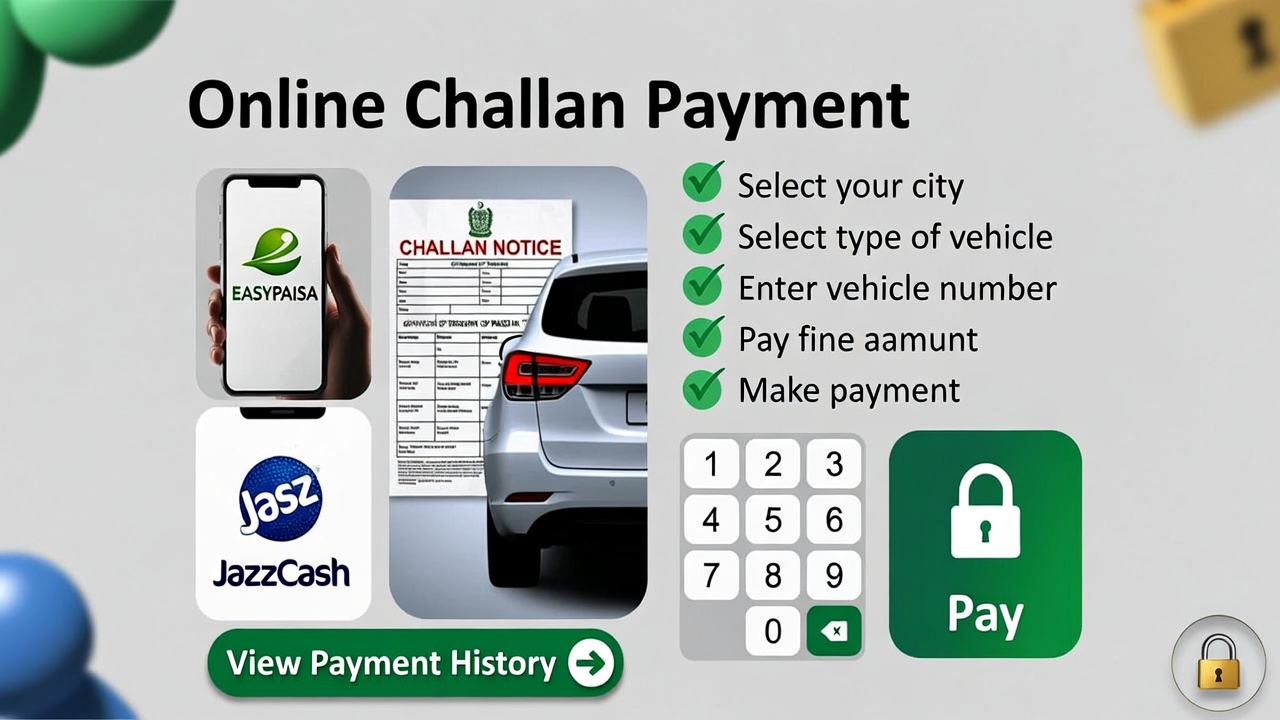
Traffic management in Pakistan has evolved rapidly with the introduction of digital monitoring systems, automated cameras, and centralized traffic databases. As a result, traditional paper challans are being replaced by e challans, making the process of issuing, checking, and paying traffic fines far more transparent and efficient.
If you have violated a traffic rule such as overspeeding, jumping a red signal, not wearing a helmet, or illegal parking, your fine can now be paid online from anywhere in Pakistan without visiting a traffic police office or standing in long bank queues.
This detailed guide explains how to pay e challan online in Pakistan, covering all steps, payment methods, precautions, and common issues, so you can complete the process smoothly and legally.
What Is an E Challan in Pakistan
An e challan is an electronic traffic fine issued through a digital system when a driver violates traffic laws. These challans are generated using:
• CCTV and speed cameras
• Automatic number plate recognition systems
• Manual entry by traffic wardens using handheld devices
Once issued, the challan is linked to your vehicle registration number and stored in the official traffic database. Authorities such as Punjab Safe City Authority, Sindh Traffic Police, and city traffic departments manage these records.
E challans reduce corruption, improve accountability, and ensure that traffic violations are documented accurately.
Why Online E Challan Payment Is Important
Paying your e challan online is not just a convenience, it helps you avoid serious legal and administrative problems.
If challans remain unpaid, you may face:
• Increased fine amount due to late payment
• Vehicle registration blockage during transfer or renewal
• Driving license suspension
• Legal notices or court summons
• Issues during vehicle inspection or sale
Online payment ensures your record is cleared promptly and officially.
What You Need Before Paying an E Challan Online
Before starting the payment process, make sure you have the following details ready:
• Vehicle registration number exactly as printed on the number plate
• Challan number or PSID (Payment Slip ID), if available
• CNIC number in some provincial systems
• A digital payment method such as mobile wallet or bank app
• Stable internet connection
Having accurate information avoids payment errors and delays.
Step 1 – Check Your E Challan Status Online
The first step is to check whether your vehicle has any pending e challans.
Use Official Government Portals Only
Always use official portals to avoid scams and incorrect data.
Common official systems include:
• Punjab Safe City e challan portal
• Sindh Traffic Police online challan system
• Islamabad Traffic Police e challan portal
Steps to check your challan:
- Open a browser on mobile or computer
- Visit your province or city’s official traffic challan website
- Select the E Challan Inquiry option
- Enter your vehicle registration number or CNIC
- Submit the request
- View challan details including violation type, date, location, and fine amount
If no challan appears, your vehicle currently has no recorded violations.
What If Your Challan Does Not AppeaL
Sometimes challans are not visible immediately due to system delays.
Possible reasons include:
• Recently issued challan not yet synced
• Incorrect vehicle number format
• Temporary portal downtime
In such cases:
• Wait 12 to 24 hours and check again
• Try searching using PSID if provided
• Visit the traffic police facilitation center if urgently required
Step 2 – Generate PSID if Required
In some provinces, especially Punjab, online payment requires generating a Payment Slip ID (PSID).
This is commonly done through ePay Punjab.
How to Generate PSID
- Open ePay Punjab app or website
- Register or log in using your mobile number
- Select E Challan or Safe City section
- Enter vehicle registration number or CNIC
- Select pending challans
- Click Generate PSID
The PSID combines all fines into a single payable reference number that can be used across banking and mobile wallet platforms.
Step 3 – Pay E Challan Online Using Digital Methods
Once you have your challan number or PSID, you can proceed with online payment.
Method 1 – Pay Through Easypaisa App
Easypaisa is one of the most widely used mobile wallets in Pakistan.
Steps:
- Open Easypaisa app and log in
- Go to Bill Payments
- Select Traffic Challan or Government Payments
- Choose your city or province
- Enter challan number or PSID
- Review challan details
- Tap Pay Now
- Save the digital receipt or screenshot
Payment confirmation is usually instant.
Method 2 – Pay Through JazzCash App
JazzCash offers a similar and reliable payment process.
Steps:
- Open JazzCash app
- Go to Government Payments
- Select Traffic Challan
- Choose the relevant authority
- Enter PSID or challan ID
- Confirm details
- Complete payment
- Save confirmation message
Method 3 – Pay Through Internet Banking or Bank App
Most major Pakistani banks support e challan payments through their mobile apps.
Commonly supported banks include:
• HBL
• MCB
• UBL
• Meezan Bank
Steps:
- Log in to your bank’s mobile app
- Go to Bill Payments or Government Fees
- Select Traffic Challan
- Enter vehicle number or PSID
- Verify challan details
- Confirm payment
- Save transaction receipt
Method 4 – Other Official Payment Options
If you prefer offline or semi digital methods:
• ATM payment using 1 Link enabled machines
• Bank counter payment with printed challan or PSID
• NADRA e Sahulat centers
These methods are also legally valid.
Step 4 – Confirm Your E Challan Payment
After payment, the system usually updates within a few hours.
What to do next:
• Wait 2 to 24 hours
• Recheck challan status on official portal
• Ensure payment status shows as cleared
If your challan still appears unpaid after 24 hours:
• Contact traffic police helpline
• Provide transaction ID or digital receipt
• Request manual verification
Always keep your receipt until confirmation is visible online.
What to Do If an E Challan Is Incorrect
Sometimes challans are generated incorrectly due to camera misreads or system errors.
If you believe your challan is wrong:
- Visit the nearest traffic police office
- Carry CNIC, driving license, and vehicle documents
- Submit a written complaint
- Provide proof such as dashcam footage if available
- Wait for investigation
If verified, the challan may be canceled or corrected.
Safety Tips and Common E Challan Scams
With digital systems, scammers also attempt fraud.
Stay safe by following these rules:
• Do not click random SMS or WhatsApp links claiming pending challans
• Only use official government portals and apps
• Never share OTPs, PINs, or banking passwords
• Verify website URLs carefully
• Avoid agents asking for extra fees
Authorities do not send challan payment links from personal numbers.
Tips to Avoid E Challans in the Future
Preventing challans is always better than paying them.
Follow these basic rules:
• Obey speed limits
• Stop at red signals
• Wear helmet and seat belt
• Avoid wrong parking
• Keep vehicle documents updated
• Respect traffic wardens
Safe driving protects your wallet and your life.
Final Thoughts
Paying an e challan online in Pakistan is now simple, secure, and officially recognized. With multiple payment channels including mobile wallets, banking apps, and government portals, drivers no longer need to visit traffic offices or stand in queues.
By regularly checking your vehicle record, paying fines on time, and following traffic laws, you can avoid penalties, legal issues, and unnecessary stress. Digital traffic systems are here to stay, and understanding how to use them properly ensures a smoother driving experience across Pakistan.